kingfrost

About Me

I’m a creative professional dedicated to crafting exceptional digital experiences that blend innovation with user-centric design. With over a decade of experience, I specialize in transforming complex problems into elegant solutions.

Projects Completed
0 +
Clients Served
0 +
Years Experience
0 +

The Work Behind the Vision: King Frost

English | 2:16

I craft seamless digital experiences — mapping user flows, designing interfaces, guiding development teams, and delivering products that actually work. Vision + execution. That’s what I do.

El Trabajo Detrás de la Visión: King Frost

English | 2:36

Creo experiencias digitales impecables: mapeo flujos de usuario, diseño interfaces, guío equipos de desarrollo y entrego productos que realmente funcionan. Visión + ejecución. Eso es lo que hago.

Services & Expertise

🎨

UX/UI Design

Creating beautiful, intuitive interfaces that users love. From wireframes to high-fidelity prototypes with AI-enhanced design workflows.

💻

Web Development

Building responsive, performant web applications using modern technologies and best practices.

🔬

User Research

Conducting comprehensive research to understand user needs and validate design decisions.

🤖

Agentic RAG Systems

Building intelligent AI agents with Retrieval-Augmented Generation for context-aware automation and decision-making.

🔗

MCP Server Development

Developing Model Context Protocol servers for seamless AI integration and multi-agent communication systems.

Workflow Automation

Designing and implementing AI-powered workflow automation that streamlines operations and reduces manual tasks by up to 80%.

📱

Product Strategy

Defining product vision and roadmap aligned with business goals, user needs, and AI capabilities.

🎯

Design Systems

Creating scalable design systems that ensure consistency across products with AI-assisted component generation.

🚀

AI Innovation

Pioneering AI-driven solutions with multi-agent orchestration, autonomous workflows, and intelligent automation systems.

AI Agent Orchestration

Designing intelligent multi-agent systems where specialized AI agents collaborate seamlessly to solve
complex problems. Each agent has a specific role and expertise, working together in orchestrated workflows
to deliver sophisticated automation solutions.

🚀

Data Collector Agent

Pioneering AI-driven solutions with multi-agent orchestration, autonomous workflows, and intelligent automation systems.

🧠

Analyzer Agent

Processes and analyzes data using RAG and LLMs to extract insights and make intelligent decisions.

📤

Action Agent

Executes decisions by triggering workflows, updating systems, and delivering results to stakeholders.

🎯

Orchestration Layer

Coordinates all agents, manages task distribution, handles errors, and ensures optimal workflow execution. Monitors performance and dynamically adjusts agent priorities based on system load and requirements.

LLM-as-a-Judge: Autonomous Quality Control

Using AI to evaluate AI outputs ensures consistent quality, reduces human review time, and maintains high standards at scale.

🎯 How It Works

  • Primary AI agent generates output (content, code, analysis)
  • Judge AI evaluates against defined criteria and rubrics
  • Scores quality dimensions: accuracy, completeness, tone, compliance
  • Automatically flags issues or approves for deployment

✨ Use Cases

  • Content moderation and brand compliance
  • Code review and security vulnerability detection
  • Customer service response quality assurance
  • Data extraction accuracy validation

Real-World Impact: Companies using LLM-as-a-Judge reduce human review workload by 85% while maintaining 98%+ quality standards. The Judge AI learns from corrections and continuously improves evaluation criteria.

Python • LangChain • OpenAI
 
🐍
rag_system.py
# Install required packages
%pip install --upgrade --quiet langchain langchain-community langchainhub chromadb bs4
%pip install --quiet langchain-openai
%pip install --quiet gradio_client==0.02.10 gradio==3.38.0

import getpass
import os
import warnings
warnings.filterwarnings("ignore")

# Set up OpenAI API key
if not os.environ.get("OPENAI_API_KEY"):
    os.environ['OPENAI_API_KEY'] = getpass.getpass("Enter your OpenAI API key: ")

# Import required libraries
from langchain_openai import ChatOpenAI, OpenAIEmbeddings
import bs4
from langchain import hub
from langchain.chains import create_retrieval_chain, create_history_aware_retriever
from langchain.chains.combine_documents import create_stuff_documents_chain
from langchain_chroma import Chroma
from langchain_community.document_loaders import WebBaseLoader
from langchain_core.prompts import ChatPromptTemplate, MessagesPlaceholder
from langchain_text_splitters import RecursiveCharacterTextSplitter
from langchain_core.messages import AIMessage, HumanMessage

# Initialize the language model
llm = ChatOpenAI(model="gpt-3.5-turbo-0125")

# Step 1: Load, Chunk and Index the contents to create a retriever
def create_retriever_from_url(url):
    """Create a retriever from a web URL"""
    # Configure BeautifulSoup parser
    bs4_parser = bs4.SoupStrainer(
        class_=("posts-content", "post-title", "post-header")
    )
    
    # Load documents
    loader = WebBaseLoader(
        web_paths=[url],
        bs_kwargs={"parse_only": bs4_parser}
    )
    
    docs = loader.load()
    
    # Split documents into chunks
    text_splitter = RecursiveCharacterTextSplitter(
        chunk_size=1000,
        chunk_overlap=200
    )
    splits = text_splitter.split_documents(docs)
    
    # Create vector store and retriever
    vectorstore = Chroma.from_documents(
        documents=splits,
        embedding=OpenAIEmbeddings()
    )
    retriever = vectorstore.as_retriever()
    
    return retriever

# Step 2: Create the RAG chain with history awareness
def create_rag_system(retriever):
    """Create a complete RAG system with chat history"""
    
    # System prompt for the final answer generation
    system_prompt = (
        "You are an assistant for question-answering tasks. "
        "Use the following pieces of retrieved context to answer "
        "the question. If you don't know the answer, say that you "
        "don't know. Use three sentences maximum and keep the "
        "answer concise.\n\n"
        "{context}"
    )
    
    # Prompt for history-aware query reformulation
    contextualize_q_system_prompt = (
        "Given a chat history and the latest user question "
        "which might reference context in the chat history, "
        "formulate a standalone question that can be understood "
        "without the chat history. Do NOT answer the question, "
        "just reformulate it if needed and otherwise return it as is."
    )
    
    # Create history-aware retriever
    contextualize_q_prompt = ChatPromptTemplate.from_messages([
        ("system", contextualize_q_system_prompt),
        MessagesPlaceholder("chat_history"),
        ("human", "{input}"),
    ])
    
    history_aware_retriever = create_history_aware_retriever(
        llm, retriever, contextualize_q_prompt
    )
    
    # Create question-answering chain
    qa_prompt = ChatPromptTemplate.from_messages([
        ("system", system_prompt),
        MessagesPlaceholder("chat_history"),
        ("human", "{input}"),
    ])
    
    question_answer_chain = create_stuff_documents_chain(llm, qa_prompt)
    
    # Combine into final RAG chain
    rag_chain = create_retrieval_chain(history_aware_retriever, question_answer_chain)
    
    return rag_chain

# Step 3: Initialize the system
def initialize_rag_system(url="https://lilianweng.github.io/posts/2023-06-23-agent/"):
    """Initialize the complete RAG system"""
    print("Creating retriever from URL...")
    retriever = create_retriever_from_url(url)
    print("Creating RAG chain...")
    rag_chain = create_rag_system(retriever)
    print("RAG system initialized successfully!")
    return rag_chain

# Step 4: Chat interface
class RAGChatBot:
    def __init__(self, rag_chain):
        self.rag_chain = rag_chain
        self.chat_history = []
    
    def ask_question(self, question):
        """Ask a question and get a response"""
        response = self.rag_chain.invoke({
            "input": question,
            "chat_history": self.chat_history
        })
        
        # Update chat history
        self.chat_history.extend([
            HumanMessage(content=question),
            AIMessage(content=response["answer"])
        ])
        
        return response

# Example usage
if __name__ == "__main__":
    # Initialize the RAG system
    rag_chain = initialize_rag_system()
    chatbot = RAGChatBot(rag_chain)
    
    # Example conversation
    print("\n=== RAG System Demo ===")
    
    # First question
    question1 = "What is Task Decomposition?"
    print(f"\nQ: {question1}")
    response1 = chatbot.ask_question(question1)
    print(f"A: {response1['answer']}")
    
    # Follow-up question (uses chat history)
    question2 = "What are common ways of doing it?"
    print(f"\nQ: {question2}")
    response2 = chatbot.ask_question(question2)
    print(f"A: {response2['answer']}")
    
    # Another follow-up
    question3 = "Can you give examples of each method?"
    print(f"\nQ: {question3}")
    response3 = chatbot.ask_question(question3)
    print(f"A: {response3['answer']}")

    # Print context used for the last response
    print(f"\nContext used: {len(response3['context'])} documents")

Key Components Explained

1. Document Processing Pipeline

2. History-Aware Retrieval

3. Question Answering Chain

4. Complete RAG Chain

Usage Notes

This implementation provides a robust RAG system that can answer questions based on web content while maintaining conversation context across multiple interactions.

🏥 Healthcare Automation

Multi-agent system for patient data processing, appointment scheduling, and medical record analysis with HIPAA compliance.

• Automated patient intake and triage
• Intelligent appointment scheduling
• Medical record analysis with RAG
• Real-time insurance verification

💼 Enterprise Workflow

Intelligent agents that automate document processing, approvals, and cross-system data synchronization.

• Document classification and routing
• Automated approval workflows
• Data extraction and validation
• Multi-system integration

🛒 E-Commerce Intelligence

Agent orchestration for inventory management, customer support, and personalized shopping experiences.

• Dynamic inventory optimization
• AI-powered customer support
• Personalized recommendations
• Fraud detection and prevention

📊 Data Pipeline Automation

Intelligent data collection, transformation, and reporting with anomaly detection and quality assurance.

• Automated ETL processes
• Real-time data quality checks
• Anomaly detection and alerts
• Intelligent report generation

AI Agents for Rent

Stop hiring full-time employees for tasks AI can handle. Rent specialized AI employees that work 24/7/365, never take breaks, and deliver consistent results at a fraction of the cost.

Image hover effect image

AI Customer Onboarding Specialist

Make a stellar first impression, automatically. Ensure every new customer becomes a power user.

The Problem

A confusing onboarding process is the #1 reason for early customer churn. Your human team doesn’t have the time to hand-hold every new sign-up, leading to frustration, unused features, and canceled subscriptions.

Our Solution

Rent our AI Customer Onboarding Specialist. This dedicated employee provides a white-glove, step-by-step onboarding experience for every single customer, the moment they sign up.

Key Capabilities

  • Interactive Guidance: Walks users through setup with in-app tutorials and checklists.
  • Proactive Check-Ins: Messages users who seem stuck or haven’t completed key actions.
  • Instant Q&A: Answers common “how-to” questions immediately, 24/7.
  • Success Tracking: Identifies at-risk users who aren’t engaging and flags them for human intervention.

The Bottom Line

Increase activation rates, reduce time-to-value, and turn new sign-ups into loyal, long-term customers.

Customer-Facing

Image hover effect image

AI Sales Development Representative (SDR)

Stop spending $80,000 a year on an SDR to send cold emails. Rent ours instead.

The Problem

Your top sales closers are wasting their precious time sifting through unqualified leads and sending repetitive outreach emails. Your pipeline is inconsistent, and scaling your sales team is expensive and slow.

Our Solution

Rent our AI Sales Development Representative. This employee works 24/7/365 to proactively identify, qualify, and book meetings with high-intent leads, ensuring your human closers only talk to ready-to-buy prospects.

Key Capabilities

  • Prospecting on Autopilot: Continuously scours data sources to build a perfect target list.
  • Hyper-Personalized Outreach: Sends tailored emails and LinkedIn messages that get replies, not deletions.
  • Intelligent Qualification: Uses conversational AI to chat with leads, ask qualifying questions, and book meetings directly onto your sales team’s calendar.
  • Seamless Handoff: Delivers a perfect lead profile and notes to your closer before the call even starts.

The Bottom Line

Fill your pipeline faster, reduce customer acquisition cost, and free your sales team to do what they do best: close deals.

Customer-Facing

Stop hiring full-time employees for tasks AI can handle. Rent specialized AI employees that work 24/7/365, never take breaks, and deliver consistent results at a fraction of the cost.

Featured Work

Entergy

Designed customer portal and mobile experience for major energy provider, improving customer satisfaction by 40%
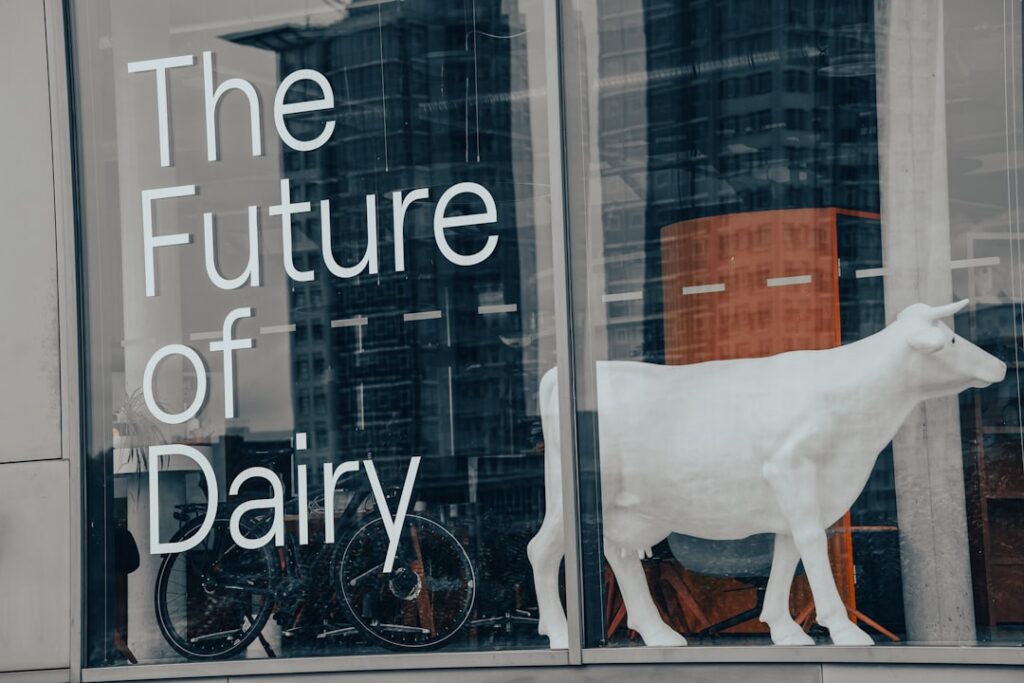
The Comfy Cow

Crafted a delightful e-commerce experience for an artisanal ice cream brand, resulting in 200% sales growth

Licenses & Certifications

Design Thinking for
Innovation

University of Virginia

Issued Oct 2025

Credential ID NC973ZYZCHJA

Digital
Transformation

University of Virginia

Issued Oct 2025

Credential ID 7II872X8EUOC

Foundation and Potential of AI in Healthcare

University of Colorado System

Issued Oct 2025

Credential ID 8RGX3RONGRIE

Foundations of Data
Science

United Latino Students Association

Issued Oct 2025

Credential ID ZS9ZGB3XWA6B

Generative AI: The Future of UX UI Design

SkillUp

Issued Oct 2025

Credential ID 5GB0GVLXX63V

Go Beyond the Numbers: Translate Data into Insights

Google

Issued Oct 2025

Credential ID FGZ84T3RZTYJ

Latest Insights

The Ethical UX of AI Avatars: What HeyGen’s Hyper-Realistic Updates Mean for Trust and Design

The Ethical UX of AI Avatars:…

Learn to implement radical transparency through persistent badges, visual distinctions, and multi-step consent flows.

Selling Your Brain, Not Just Your Time: Packaging Your Expertise as a “Design Agent for Hire”

Selling Your Brain, Not Just Your…

Transform your consulting model from hourly billing to scalable expertise delivery through AI-powered services.

The Invisible UI: How AI is Eradicating the Dashboard (And What Comes Next)

The Invisible UI: How AI is…

Challenge the dashboard paradigm and explore the future of ambient intelligence that delivers insights when and where they're needed.

Video Tutorials

Get In Touch

🦃Celebrating Thanksgiving – I’m grateful for every connection!🦃

Or reach out directly:

🦃Happy Thanksgiving!🦃

© 2025 KINGFROST. All rights reserved.

My UX Design Journey

Learn about my background, philosophy, and approach to creating exceptional user experiences.

Video Transcript

Hello, I’m KingFrost, and welcome to my story. My journey into UX design began over a decade ago when I realized that technology should serve people, not the other way around. I started as a graphic designer but quickly became fascinated with how users interact with digital products. This led me to pursue formal education in human-computer interaction and cognitive psychology. Throughout my career, I’ve worked with startups, Fortune 500 companies, and everything in between. Each project has taught me something new about users, design, and problem-solving. My philosophy is simple: great design is invisible. When users can accomplish their goals effortlessly, that’s when you know you’ve succeeded. I believe in data-driven design backed by solid research, but I also trust intuition honed through years of experience. I’m passionate about accessibility, believing that everyone deserves a great user experience regardless of their abilities. Today, I specialize in AI-enhanced UX design, helping organizations leverage artificial intelligence to create more personalized and efficient user experiences. I’m also committed to teaching and mentoring the next generation of designers, which is why I create educational content in multiple languages. Thank you for taking the time to learn about me and my work.

Where I Applied This Skill

Behind the Scenes: My Design Process

A detailed walkthrough of my design methodology, tools, and collaborative approach to solving complex UX challenges.

Video Transcript

Welcome to a behind-the-scenes look at how I approach UX design projects. My process always begins with deep discovery and research. I start by understanding the business goals, user needs, and technical constraints. I conduct stakeholder interviews, competitive analysis, and user research to build a comprehensive picture. Next comes synthesis – I use affinity mapping, journey mapping, and persona development to make sense of all the data. This phase is crucial because it transforms raw information into actionable insights. Then I move into ideation, where I sketch multiple solutions, explore different approaches, and push creative boundaries. I believe in quantity before quality at this stage. Once I have promising concepts, I create wireframes and prototypes. I prefer low-fidelity prototypes early on because they’re quick to iterate and don’t distract with visual polish. I test these prototypes with real users, gathering feedback that informs the next iteration. This is where the magic happens – watching users interact with your designs reveals truths that no amount of thinking can uncover. After several rounds of testing and refinement, I move to high-fidelity design, creating detailed mockups and comprehensive design systems. Throughout this process, I collaborate closely with developers, product managers, and stakeholders. I believe great products are built by great teams. Finally, I don’t consider a project done at launch. I monitor analytics, gather user feedback, and continue iterating. Design is never finished; it evolves with user needs and technology. This iterative, user-centered approach has served me well across hundreds of projects and diverse industries.

Where I Applied This Skill

UX/UI Design

Level: Expert

Experience: 10+ years

Creating intuitive and beautiful user interfaces with a focus on user-centered design principles.

Where I Applied This Skill

Client

Kentucky

How I Applied It

Redesigned the entire state portal interface for better accessibility and user engagement

Client

CVS Health

How I Applied It

Created intuitive prescription refill workflows and mobile app interfaces
 

Client

The Vanity Cow

How I Applied It

Designed complete e-commerce user experience from browsing to checkout

Client

IMF

How I Applied It

Designed data-rich dashboard interfaces for global economic monitoring

Client

Kentucky College System

How I Applied It

Created student-centric portal design with focus on easy navigation and task completion

Client

Blue Cross Blue Shield

How I Applied It

Redesigned member portal for improved health plan management

Client

Norton Healthcare

How I Applied It

Designed patient scheduling and telehealth interfaces

Client

Humana

How I Applied It

Created mobile-first insurance claims submission experience

Client

Ford Motor Company

How I Applied It

Designed in-vehicle infotainment UI for electric vehicles

Client

PNC Bank

How I Applied It

Modernized online banking interface with improved transaction flows

Figma

Level: Expert

Experience: 8+ years

Advanced prototyping, design systems, and collaborative design workflows.

Where I Applied This Skill

Client

Kentucky College System

How I Applied It

Built comprehensive design system and component library for the student portal

Client

IMF

How I Applied It

Created interactive prototypes for data visualization dashboards
 

Client

CVS Health

How I Applied It

Developed design system with reusable components for healthcare products

Client

The Vanity Cow

How I Applied It

Built complete design file with variants for responsive e-commerce

Client

Norton Healthcare

How I Applied It

Created collaborative design files for cross-functional team review

Client

Kentucky

How I Applied It

Developed state-wide design system for all government services

Client

Ford Motor Company

How I Applied It

Built interactive prototypes for vehicle dashboard concepts

Client

Humana

How I Applied It

Created component library for insurance product designs

Adobe XD

Level: Advanced

Experience: 7+ years

Interface design, prototyping, and design specifications.

Where I Applied This Skill

Client

CVS Health

How I Applied It

Designed mobile app prototypes and user flows

Client

The Vanity Cow

How I Applied It

Created brand guidelines and marketing materials

Sketch

Level: Advanced

Experience: 6+ years

Digital design and vector graphics for web and mobile applications.

Where I Applied This Skill

Client

Kentucky

How I Applied It

Designed responsive web interfaces for state services

Wireframing

Level: Expert

Experience: 10+ years

Low and high-fidelity wireframes for rapid concept validation.

Where I Applied This Skill

Client

IMF

How I Applied It

Created wireframes for economic data dashboard

Client

Kentucky College System

How I Applied It

Developed information architecture wireframes for student portal

Prototyping

Level: Expert

Experience: 9+ years

Interactive prototypes for user testing and stakeholder presentations.

Where I Applied This Skill

Client

CVS Health

How I Applied It

Built clickable prototypes for prescription management features

Client

The Vanity Cow

How I Applied It

Created interactive shopping experience prototypes

React

Level: Expert

Experience: 6+ years

Building modern, performant web applications with React and related ecosystem.

Where I Applied This Skill

Client

Kentucky College System

How I Applied It

Developed the entire student portal frontend using React

Client

The Vanity Cow

How I Applied It

Built responsive e-commerce platform with React and Redux
 

Client

CVS Health

How I Applied It

Created prescription refill interface with React and TypeScript

Client

PNC Bank

How I Applied It

Built online banking dashboard with React hooks

Client

Norton Healthcare

How I Applied It

Developed patient portal using React and Material-UI

Client

Humana

How I Applied It

Built insurance claims interface with React and Redux

Client

Ford Motor Company

How I Applied It

Created dealer portal using React and Next.js

JavaScript

Level: Expert

Experience: 10+ years

Full-stack JavaScript development with ES6+ and modern frameworks.

Where I Applied This Skill

Client

Kentucky

How I Applied It

Implemented interactive state services and form validations

Client

IMF

How I Applied It

Created dynamic data visualization and filtering logic

Client

CVS Health

How I Applied It

Built complex prescription ordering logic

Client

The Vanity Cow

How I Applied It

Implemented shopping cart and checkout functionality

Client

Kentucky College System

How I Applied It

Developed course search and filtering system

Client

PNC Bank

How I Applied It

Created transaction history filtering and search

Client

Blue Cross Blue Shield

How I Applied It

Implemented plan comparison calculator

Client

Norton Healthcare

How I Applied It

Built appointment scheduling logic

Client

Humana

How I Applied It

Developed claims status tracking system

TypeScript

Level: Advanced

Experience: 5+ years

Type-safe application development for large-scale projects.

Where I Applied This Skill

Client

CVS Health

How I Applied It

Built type-safe prescription management system

HTML/CSS

Level: Expert

Experience: 10+ years

Semantic HTML and modern CSS including Grid, Flexbox, and animations.

Where I Applied This Skill

Client

Kentucky

How I Applied It

Created accessible, semantic markup for all state services

Client

The Vanity Cow

How I Applied It

Implemented responsive layouts and custom animations

Tailwind CSS

Level: Expert

Experience: 4+ years

Utility-first CSS framework for rapid UI development.

Where I Applied This Skill

Client

Kentucky College System

How I Applied It

Styled entire portal using Tailwind design system

Node.js

Level: Advanced

Experience: 6+ years

Server-side JavaScript for APIs and backend services.

Where I Applied This Skill

Client

The Vanity Cow

How I Applied It

Built REST API for product management and orders

Python

Level: Advanced

Experience: 5+ years

Data analysis, automation, and backend development.

Where I Applied This Skill

Client

IMF

How I Applied It

Developed data processing scripts for economic indicators

User Research

Level: Expert

Experience: 8+ years

Conducting user interviews, surveys, and usability testing.

Where I Applied This Skill

Client

Kentucky

How I Applied It

Conducted citizen research to understand pain points in state services

Client

CVS Health

How I Applied It

Led user research sessions to improve prescription workflows

Client

The Vanity Cow

How I Applied It

Conducted customer interviews to understand shopping behaviors

Client

Kentucky College System

How I Applied It

Interviewed students and faculty to identify portal needs

Client

Norton Healthcare

How I Applied It

Conducted patient research for telehealth features

Client

PNC Bank

How I Applied It

Led user research on mobile banking preferences

Client

Ford Motor Company

How I Applied It

Conducted driver interviews for in-vehicle interface design

Client

Humana

How I Applied It

Researched member needs for insurance plan selection

Client

Blue Cross Blue Shield

How I Applied It

Conducted research on claims submission pain points

Usability Testing

Level: Expert

Experience: 8+ years

Planning and executing usability tests to validate design decisions.

Where I Applied This Skill

Client

Kentucky College System

How I Applied It

Ran usability tests with students to refine portal navigation

Client

The Vanity Cow

How I Applied It

Tested checkout flow with target customers

Client

CVS Health

How I Applied It

Conducted usability tests on prescription refill process

Client

IMF

How I Applied It

Tested dashboard usability with economists and analysts

Client

Norton Healthcare

How I Applied It

Ran usability tests on appointment booking system

Client

PNC Bank

How I Applied It

Tested mobile app features with banking customers

Client

Ford Motor Company

How I Applied It

Conducted in-vehicle usability testing with drivers

Client

Humana

How I Applied It

Tested insurance enrollment flow with members

Data Analysis

Level: Advanced

Experience: 6+ years

Analyzing user behavior, metrics, and research data.

Where I Applied This Skill

Client

IMF

How I Applied It

Analyzed usage patterns to optimize dashboard layout

Client

CVS Health

How I Applied It

Evaluated app analytics to identify improvement opportunities

A/B Testing

Level: Advanced

Experience: 5+ years

Running experiments to optimize user experience and conversions.

Where I Applied This Skill

Client

The Vanity Cow

How I Applied It

Tested multiple checkout variations to improve conversion rates

Git/GitHub

Level: Expert

Experience: 8+ years

Version control and collaborative development workflows.

Where I Applied This Skill

Client

Kentucky College System

How I Applied It

Managed codebase and team collaboration

Client

The Vanity Cow

How I Applied It

Version control for e-commerce platform development

Jira

Level: Advanced

Experience: 6+ years

Project management and agile workflows.

Where I Applied This Skill

Client

CVS Health

How I Applied It

Managed sprints and tracked development progress

Analytics

Level: Advanced

Experience: 6+ years

Google Analytics, Mixpanel, and other analytics platforms.

Where I Applied This Skill

Client

Kentucky

How I Applied It

Set up analytics tracking for state portal usage

Client

The Vanity Cow

How I Applied It

Implemented conversion tracking and user behavior analysis

Surveys

What it is

A research method that collects data from users through structured questionnaires with predefined questions.

When to Use

Use surveys when you need to gather quantitative data from a large number of users, understand user demographics, or validate assumptions at scale.

How to Perform

1. Define clear objectives
2. Create focused questions (mix of multiple choice and open-ended)
3. Keep it short (5-10 minutes)
4. Test with a small group first
5. Distribute through appropriate channels
6. Analyze and synthesize results

Field studies

What it is

Observational research conducted in the user's natural environment to understand real-world behavior and context.

When to Use

Use when you need to understand how users interact with products in their actual environment, or when context is critical to the user experience.

How to Perform

1. Define research goals
2. Recruit participants
3. Visit users in their natural setting
4. Observe and take detailed notes
5. Ask clarifying questions
6. Document with photos/video (with permission)
7. Analyze patterns and insights

Diary studies

What it is

A longitudinal research method where participants record their experiences, activities, and thoughts over time.

When to Use

Use when you need to understand user behavior over an extended period, track habits, or capture experiences that happen sporadically.

How to Perform

1. Define the study duration and frequency
2. Create diary templates or apps
3. Brief participants thoroughly
4. Send regular reminders
5. Check in periodically
6. Collect and analyze entries
7. Follow up with interviews if needed

User interviews

What it is

One-on-one conversations with users to gather in-depth qualitative insights about their needs, behaviors, and motivations.

When to Use

Use when you need deep qualitative insights, want to understand the "why" behind behaviors, or explore complex user needs.

How to Perform

1. Prepare interview guide with open-ended questions
2. Recruit representative participants
3. Create comfortable environment
4. Ask open-ended questions
5. Listen actively and probe deeper
6. Record (with permission)
7. Transcribe and analyze themes

Metrics analysis

What it is

The systematic examination of quantitative data to understand user behavior patterns and product performance.

When to Use

Use when you need objective data on user behavior, want to track performance over time, or validate qualitative findings.

How to Perform

1. Define key metrics (KPIs)
2. Set up tracking tools (Google Analytics, etc.)
3. Collect baseline data
4. Monitor trends over time
5. Identify anomalies or patterns
6. Cross-reference with qualitative data
7. Create actionable insights

Context mapping

What it is

A visual representation of the context in which users interact with a product, including environment, people, and activities.

When to Use

Use when you need to understand the broader ecosystem around user interactions or identify environmental factors affecting UX.

How to Perform

1. Conduct field research
2. Document physical and social context
3. Map out key elements (people, places, objects)
4. Identify relationships and flows
5. Create visual diagrams
6. Validate with users
7. Use insights to inform design

Analytics reviews

What it is

Regular examination of user behavior data from analytics platforms to identify trends, issues, and opportunities.

When to Use

Use continuously to monitor product health, identify usability issues, or validate design changes.

How to Perform

1. Set review cadence (weekly/monthly)
2. Focus on key metrics)
3. Look for unusual patterns)
4. Compare time periods)
5. Segment user groups)
6. Create hypotheses for anomalies)
7. Plan follow-up research if needed

Contextual inquiry

What it is

A semi-structured interview method combined with observation in the user's work environment.

When to Use

Use when you need to understand work processes, see how users actually work (vs. how they say they work), or design for specific workflows.

How to Perform

1. Prepare research questions
2. Visit user's workplace)
3. Observe them performing tasks)
4. Ask questions as they work)
5. Take detailed notes)
6. Understand interruptions and workarounds)
7. Synthesize findings into models

Customer feedback

What it is

Direct input from users about their experiences, satisfaction, and suggestions through various channels.

When to Use

Use continuously to capture ongoing user sentiment, identify issues quickly, or gather improvement ideas.

How to Perform

1. Set up feedback channels (email, in-app, etc.)
2. Make it easy to provide feedback
3. Monitor regularly
4. Categorize and tag feedback
5. Identify common themes
6. Prioritize issues
7. Close the loop with users

Stakeholder interviews

What it is

Structured conversations with internal stakeholders to understand business goals, constraints, and expectations.

When to Use

Use at project start to align on goals, understand constraints, or gather domain expertise.

How to Perform

1. Identify key stakeholders
2. Prepare tailored questions
3. Schedule interviews
4. Ask about goals, challenges, and success metrics
5. Document perspectives
6. Identify alignment and conflicts
7. Synthesize into requirements

Persona

What it is

A fictional but realistic representation of your target users based on research data, including goals, behaviors, and pain points.

When to Use

Use after empathy research to create shared understanding of users, guide design decisions, or communicate user needs to stakeholders.

How to Perform

1. Analyze user research data
2. Identify patterns and segments
3. Create 3-5 distinct personas
4. Include demographics, goals, behaviors, pain points
5. Add quotes and scenarios
6. Validate with team and data
7. Reference throughout design process

Narratives

What it is

Story-based descriptions that bring user experiences to life, often following a persona through a specific scenario.

When to Use

Use to build empathy with users, illustrate user journeys, or communicate research findings compellingly.

How to Perform

1. Select a persona
2. Choose a realistic scenario
3. Write in story format
4. Include context, emotions, and motivations
5. Highlight pain points and needs
6. Make it relatable and specific
7. Share with team for empathy building

User stories

What it is

Short, simple descriptions of a feature from the user's perspective, typically following the format: "As a [user], I want [goal] so that [benefit]".

When to Use

Use in agile development to define requirements, prioritize features, or maintain user focus during development.

How to Perform

1. Identify user roles
2. List desired actions/goals
3. Write in standard format
4. Keep them small and specific
5. Add acceptance criteria
6. Prioritize with team
7. Track through development

Affinity map

What it is

A visual organization method that groups related insights, ideas, or data points to identify patterns and themes.

When to Use

Use after research to synthesize findings, during ideation to organize ideas, or to find patterns in qualitative data.

How to Perform

1. Write each insight on a sticky note
2. Put all notes on a wall
3. Silently group similar items
4. Discuss groupings as a team
5. Name each group
6. Create higher-level categories if needed
7. Document themes and insights

Storyboards

What it is

Visual sequences that illustrate how a user interacts with a product over time, similar to comic strips.

When to Use

Use to visualize user flows, communicate design concepts, or show before/after scenarios.

How to Perform

1. Define the scenario
2. Identify key steps/moments
3. Sketch each frame
4. Add context (environment, emotions)
5. Include annotations
6. Show user actions and product responses
7. Review and iterate with team

Task analysis

What it is

A detailed breakdown of the steps users take to complete a specific task, including decisions and actions.

When to Use

Use when designing complex workflows, optimizing existing processes, or understanding user mental models.

How to Perform

1. Select a task to analyze
2. Observe users performing the task
3. Document each step
4. Note decisions and pain points
5. Identify inefficiencies
6. Map alternate paths
7. Use insights to streamline design

Empathy map

What it is

A collaborative visualization tool that captures what users say, think, feel, and do to build empathy.

When to Use

Use to synthesize user research, align team understanding, or prepare for ideation sessions.

How to Perform

1. Draw quadrants: Says, Thinks, Does, Feels
2. Review user research
3. Fill in each quadrant with insights
4. Look for contradictions
5. Identify pain points and needs
6. Discuss as a team
7. Use to guide problem definition

POV statement

What it is

A Point of View statement that frames the design challenge from the user's perspective: "[User] needs [need] because [insight]".

When to Use

Use to define the problem clearly, focus the team, or transition from research to ideation.

How to Perform

1. Review research findings
2. Identify specific user
3. Define their need
4. Add meaningful insight
5. Write in POV format
6. Make it specific and actionable
7. Validate with team and data

Experience map

What it is

A holistic visualization of the user's entire experience with a product or service, across all touchpoints.

When to Use

Use to understand the big picture, identify opportunities across the journey, or align stakeholders on user experience.

How to Perform

1. Define scope and user
2. Research all touchpoints
3. Map chronological stages
4. Add user actions, thoughts, emotions
5. Include pain points and opportunities
6. Identify moments that matter
7. Use to prioritize improvements

Assumption map

What it is

A tool to identify, categorize, and prioritize assumptions about users, business, or technical aspects of a project.

When to Use

Use at project start to surface hidden assumptions, prioritize what to validate first, or reduce risk.

How to Perform

1. Brainstorm all assumptions
2. Write each on a sticky note
3. Plot on matrix: Known/Unknown vs. Important/Not Important
4. Focus on Unknown + Important quadrant
5. Plan validation strategies
6. Test riskiest assumptions first
7. Update as you learn

Customer journey map

What it is

A detailed visualization of a user's end-to-end experience, showing actions, emotions, and touchpoints at each stage.

When to Use

Use to identify pain points, find opportunities for improvement, or align teams around the user experience.

How to Perform

1. Define the journey scope
2. Identify journey stages
3. Map user actions per stage
4. Add thoughts and emotions
5. Include touchpoints and channels
6. Highlight pain points and opportunities
7. Validate with real users

Problem statement

What it is

A clear, concise description of the problem you're trying to solve, focused on user needs rather than solutions.

When to Use

Use to align the team on the challenge, guide ideation, or evaluate potential solutions.

How to Perform

1. Review research insights
2. Identify the core problem
3. Write user-focused statement
4. Avoid including solutions
5. Make it specific and measurable
6. Validate with stakeholders
7. Use as north star for ideation

Mind map

What it is

A visual diagram that organizes ideas and concepts around a central theme, showing relationships and hierarchies.

When to Use

Use to explore problem space, generate ideas quickly, or organize complex information visually.

How to Perform

1. Write central topic in middle
2. Add main branches (key themes)
3. Add sub-branches (details)
4. Use colors and images
5. Keep it free-flowing
6. Connect related ideas
7. Review for insights and patterns

User flows

What it is

Diagrams showing the complete path a user takes to accomplish a task, including decision points and alternate routes.

When to Use

Use when designing navigation, optimizing conversion paths, or documenting interaction design.

How to Perform

1. Define the starting point
2. Identify the end goal
3. Map each step between
4. Add decision points
5. Show alternate paths
6. Include error states
7. Validate with real user tasks

Tree testing

What it is

A usability testing method that evaluates the findability and organization of topics in a site structure.

When to Use

Use to validate information architecture, test navigation labels, or compare organizational structures.

How to Perform

1. Create text-only version of structure
2. Define realistic tasks
3. Recruit participants
4. Have them find information
5. Track success rates and paths
6. Identify problem areas
7. Refine structure based on results

Affinity map

What it is

A visual organization method that groups related insights, ideas, or data points to identify patterns and themes.

When to Use

Use after research to synthesize findings, during ideation to organize ideas, or to find patterns in qualitative data.

How to Perform

1. Write each insight on a sticky note
2. Put all notes on a wall
3. Silently group similar items
4. Discuss groupings as a team
5. Name each group
6. Create higher-level categories if needed
7. Document themes and insights

Storyboards

What it is

Visual sequences that illustrate how a user interacts with a product over time, similar to comic strips.

When to Use

Use to visualize user flows, communicate design concepts, or show before/after scenarios.

How to Perform

1. Define the scenario
2. Identify key steps/moments
3. Sketch each frame
4. Add context (environment, emotions)
5. Include annotations
6. Show user actions and product responses
7. Review and iterate with team

Card sorting

What it is

A method where participants organize topics into categories to understand their mental models of information.

When to Use

Use when creating information architecture, naming navigation items, or validating site structure.

How to Perform

1. Create cards with content items
2. Choose open or closed sorting
3. Recruit representative users
4. Have them group cards
5. Ask them to name groups
6. Analyze patterns
7. Use results to inform IA

Scenario map

What it is

A visualization of different scenarios or contexts in which users might interact with your product.

When to Use

Use to explore different use cases, design for edge cases, or ensure comprehensive coverage.

How to Perform

1. Identify user types
2. Brainstorm scenarios
3. Map context factors
4. Document variations
5. Prioritize scenarios
6. Design for each
7. Test across scenarios

Cognitive map

What it is

A visual representation of how users think about and organize information related to your product.

When to Use

Use to understand mental models, design intuitive interfaces, or identify knowledge gaps.

How to Perform

1. Interview users about concepts
2. Ask how they relate ideas
3. Document connections
4. Create visual diagram
5. Look for patterns
6. Compare to your structure
7. Align design with mental model

User journey

What it is

The complete sequence of experiences a user has when interacting with a product or service over time.

When to Use

Use to understand the full user experience, identify friction points, or design for key moments.

How to Perform

1. Define journey scope
2. Map user stages
3. Identify touchpoints
4. Document actions and emotions
5. Highlight pain points
6. Find opportunities
7. Validate with users

Concept testing

What it is

Evaluating early design concepts with users to gauge appeal, comprehension, and value before full development.

When to Use

Use to validate ideas early, choose between concepts, or refine direction before investing heavily.

How to Perform

1. Create concept descriptions/sketches
2. Recruit target users
3. Present concepts
4. Ask for reactions and understanding
5. Test value proposition
6. Gather feedback
7. Refine based on insights

Service blueprint

What it is

A diagram that shows the complete service delivery, including frontstage (visible to users) and backstage (behind the scenes) processes.

When to Use

Use when designing services, identifying operational improvements, or aligning cross-functional teams.

How to Perform

1. Map user journey
2. Add frontstage actions
3. Add backstage processes
4. Include support processes
5. Show connections
6. Identify pain points
7. Optimize entire system

Wizard of oz

What it is

A testing method where a human secretly simulates system functionality to test concepts before they're built.

When to Use

Use to test complex features cheaply, validate AI/automation concepts, or assess feasibility before development.

How to Perform

1. Define what to simulate
2. Create believable interface
3. Prepare human "wizard" backstage
4. Run user test sessions
5. Wizard responds to user actions
6. Observe user reactions
7. Analyze viability and value

First click test

What it is

A usability test that measures where users click first when trying to complete a task.

When to Use

Use to test navigation effectiveness, validate layouts, or identify if users know where to start.

How to Perform

1. Create prototype or wireframe
2. Define clear tasks
3. Show participants the screen
4. Ask them to show where they'd click first
5. Track first clicks
6. Analyze success rate
7. Refine based on results

5 second test

What it is

Quick test to measure first impressions and message comprehension in 5 seconds.

When to Use

Use to test clarity, validate messaging, or optimize visual hierarchy.

How to Perform

1. Show design for 5 seconds
2. Ask recall questions
3. Test with 15-20 users
4. Analyze responses
5. Identify what stands out
6. Refine messaging
7. Retest if needed

Guerilla testing

What it is

Quick, informal usability testing conducted in public places with random participants.

When to Use

Use for fast feedback, when budget is limited, or to test broad audience appeal.

How to Perform

1. Prepare prototype and tasks
2. Go to public location
3. Approach people politely
4. Offer incentive (coffee, etc.)
5. Run quick 5-10 min tests
6. Take notes on key issues
7. Test with 5-10 people

Paper prototypes

What it is

Hand-drawn or printed interface mockups used for early-stage usability testing.

When to Use

Use very early in design, when iterating quickly, or testing basic concepts and flows.

How to Perform

1. Sketch screens on paper
2. Include interactive elements
3. Recruit test participants
4. Walk through tasks
5. Manually change screens
6. Observe reactions
7. Iterate quickly based on feedback

Moderated testing

What it is

Usability testing where a facilitator guides participants through tasks while observing and asking questions.

When to Use

Use when you need deep insights, want to probe user thinking, or test complex flows.

How to Perform

1. Create test plan and tasks
2. Recruit participants
3. Prepare prototype
4. Facilitate session
5. Ask think-aloud
6. Probe for insights
7. Analyze and synthesize findings

Heuristic evaluation

What it is

Expert evaluation of the live product against usability heuristics to identify issues.

When to Use

Use post-launch for quick assessment, before major updates, or to complement user testing.

How to Perform

1. Recruit UX experts
2. Choose heuristics
3. Evaluate independently
4. Document violations
5. Rate severity
6. Consolidate findings
7. Prioritize fixes

Participatory design

What it is

A design approach where users actively participate in the design process as co-creators.

When to Use

Use for complex domains, when users have deep expertise, or to ensure adoption.

How to Perform

1. Recruit diverse users
2. Provide design materials
3. Frame the problem
4. Facilitate design workshops
5. Build together
6. Document ideas
7. Refine professionally

Unmoderated testing

What it is

Remote testing where users complete tasks independently, providing scalable feedback.

When to Use

Use for quick validation, large sample sizes, or testing across geographies.

How to Perform

1. Set up testing platform
2. Create tasks
3. Recruit participants
4. Launch test
5. Collect responses
6. Review recordings
7. Analyze quantitative data

Cognitive walkthrough

What it is

A structured inspection method where evaluators walk through tasks from a user's perspective.

When to Use

Use to evaluate learnability, test new user experience, or identify confusion points.

How to Perform

1. Define user persona and goals
2. Create task scenarios
3. Walk through each step
4. Ask: Will user know what to do?
5. Ask: Will they see it?
6. Ask: Will they understand?
7. Document issues and recommendations

Usability Benchmarking

What it is

Measuring usability metrics against baseline or competitor products to track improvement over time.

When to Use

Use to measure progress, compare to competitors, or set improvement targets.

How to Perform

1. Define key metrics (task success, time, satisfaction)
2. Create standardized tasks
3. Test with representative users
4. Measure baseline
5. Compare to targets/competitors
6. Track over time
7. Drive improvements

Surveys

What it is

Structured questionnaires to collect quantitative and qualitative feedback from users about their experience.

When to Use

Use post-launch to measure satisfaction, gather feature requests, or track metrics over time.

How to Perform

1. Define survey goals
2. Create clear questions
3. Include rating scales
4. Keep it brief
5. Time it appropriately
6. Distribute to users
7. Analyze and act on results

A/B testing

What it is

Comparing two versions of a design to determine which performs better based on defined metrics.

When to Use

Use to optimize conversion, validate design changes, or make data-driven decisions.

How to Perform

1. Identify what to test
2. Create variant B
3. Define success metric
4. Split traffic 50/50
5. Run until statistical significance
6. Analyze results
7. Implement winner

Eye tracking

What it is

Technology that tracks where users look, for how long, and in what order to understand visual attention.

When to Use

Use to optimize layouts, test visual hierarchy, or understand attention patterns.

How to Perform

1. Set up eye tracking equipment
2. Calibrate for each participant
3. Show design
4. Track gaze patterns
5. Generate heat maps
6. Analyze fixations and paths
7. Optimize based on insights

Click tracking

What it is

Recording where users click on a page to understand interaction patterns and identify usability issues.

When to Use

Use to identify confusion points, validate button placement, or optimize layouts.

How to Perform

1. Set up click tracking tool
2. Deploy on live site
3. Collect sufficient data
4. Generate heat maps
5. Identify misclicks
6. Find rage clicks
7. Fix problematic areas

First click test

What it is

Testing where users click first when attempting a task to validate navigation and layout effectiveness.

When to Use

Use to validate navigation, test information architecture, or optimize landing pages.

How to Perform

1. Prepare interface
2. Create task scenarios
3. Ask where they'd click first
4. Track responses
5. Calculate success rate
6. Identify patterns
7. Refine design

Analytics reviews

What it is

Regular analysis of user behavior data to identify issues, opportunities, and trends.

When to Use

Use continuously to monitor product health, validate changes, or identify optimization opportunities.

How to Perform

1. Set review cadence
2. Monitor key metrics
3. Look for anomalies
4. Segment users
5. Track funnels
6. Identify drop-offs
7. Create action items

Session recording

What it is

Video recordings of user sessions showing how real users interact with your product.

When to Use

Use to understand actual user behavior, identify usability issues, or validate analytics findings.

How to Perform

1. Set up recording tool
2. Respect privacy (anonymize data)
3. Collect sessions
4. Review problematic flows
5. Watch for struggles
6. Identify patterns
7. Document and fix issues

Moderated testing

What it is

Facilitated usability testing with real users to gather in-depth feedback and observations.

When to Use

Use to test complex features, understand user thinking, or validate major changes.

How to Perform

1. Create test plan
2. Recruit participants
3. Facilitate sessions
4. Ask for think-aloud
5. Observe closely
6. Ask follow-up questions
7. Synthesize insights

Desirability studies

What it is

Testing that measures the emotional response and aesthetic appeal of a design.

When to Use

Use to evaluate brand perception, test visual design, or measure emotional impact.

How to Perform

1. Prepare designs
2. Create word list (positive/negative)
3. Show designs
4. Ask users to select words
5. Tally results
6. Compare to goals
7. Refine visual design

Customer feedback

What it is

Ongoing collection of user opinions, complaints, and suggestions through support channels.

When to Use

Use continuously to identify issues, gather improvement ideas, or measure satisfaction.

How to Perform

1. Set up feedback channels
2. Make it accessible
3. Monitor regularly
4. Categorize feedback
5. Identify trends
6. Prioritize issues
7. Close the loop with users

UX Support How to design an Information Architecture

Stop confusing your users.Learn how to structure information so people can actually find what they need. This is the invisible framework behind every great user experience.

Where I Applied This Skill

UX Support: Let's design a ski rental app

From the Las Vegas strip to the ski slope.We’re designing a seamless ski rental experience that brings MGM’s signature luxury to the mountains. Your perfect gear, reserved before you even land.

Where I Applied This Skill